Package Free
Package Free sells its own plastic-free laundry and cleaning range alongside a wider zero-waste catalogue, direct to US households and through retail partners.
What they came with
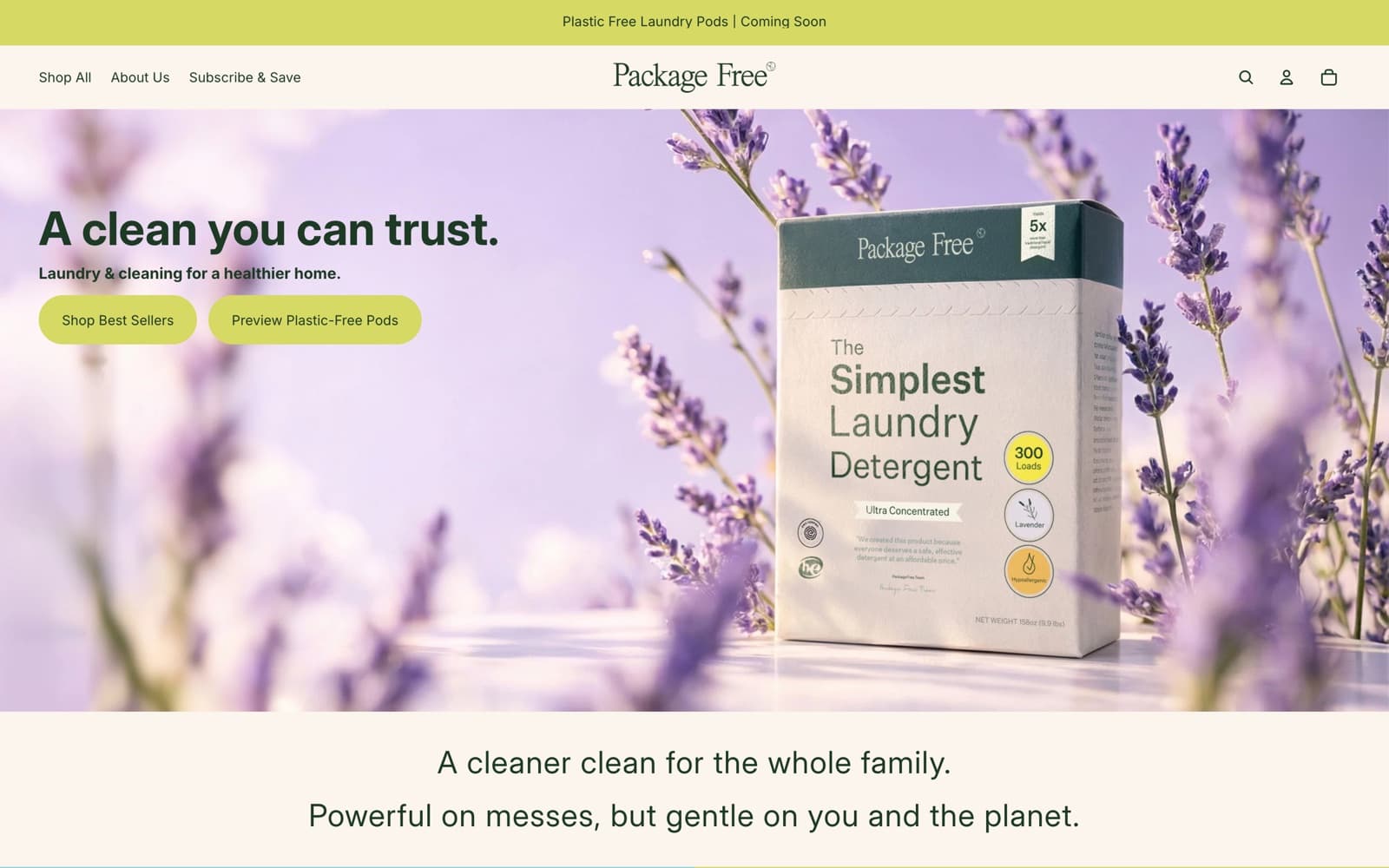
A shop that opened as a zero-waste marketplace now leads with a laundry and cleaning line of its own. That line needs brand pages — a claim, a materials list, a video, a buy block at the end — while the older catalogue of brushes, bars, jars and totes from other makers stays browsable underneath it. Both sit behind a three-item top-level menu and both feed one cart. Add a subscription programme with its own portal, its own free-shipping floor and its own rules about discounts, and one theme has to keep all of it straight.
What the build had to do
One store, two reading orders
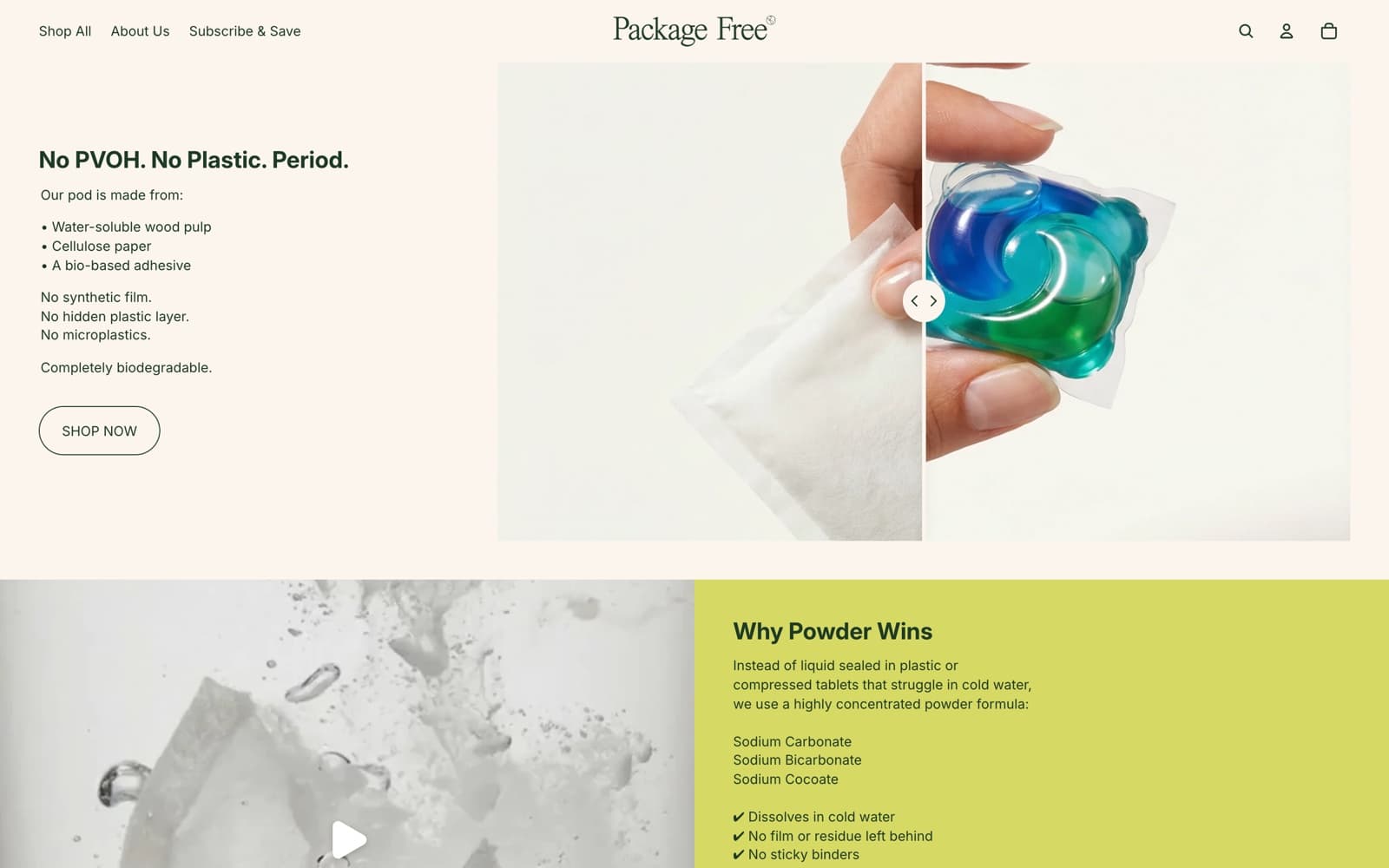
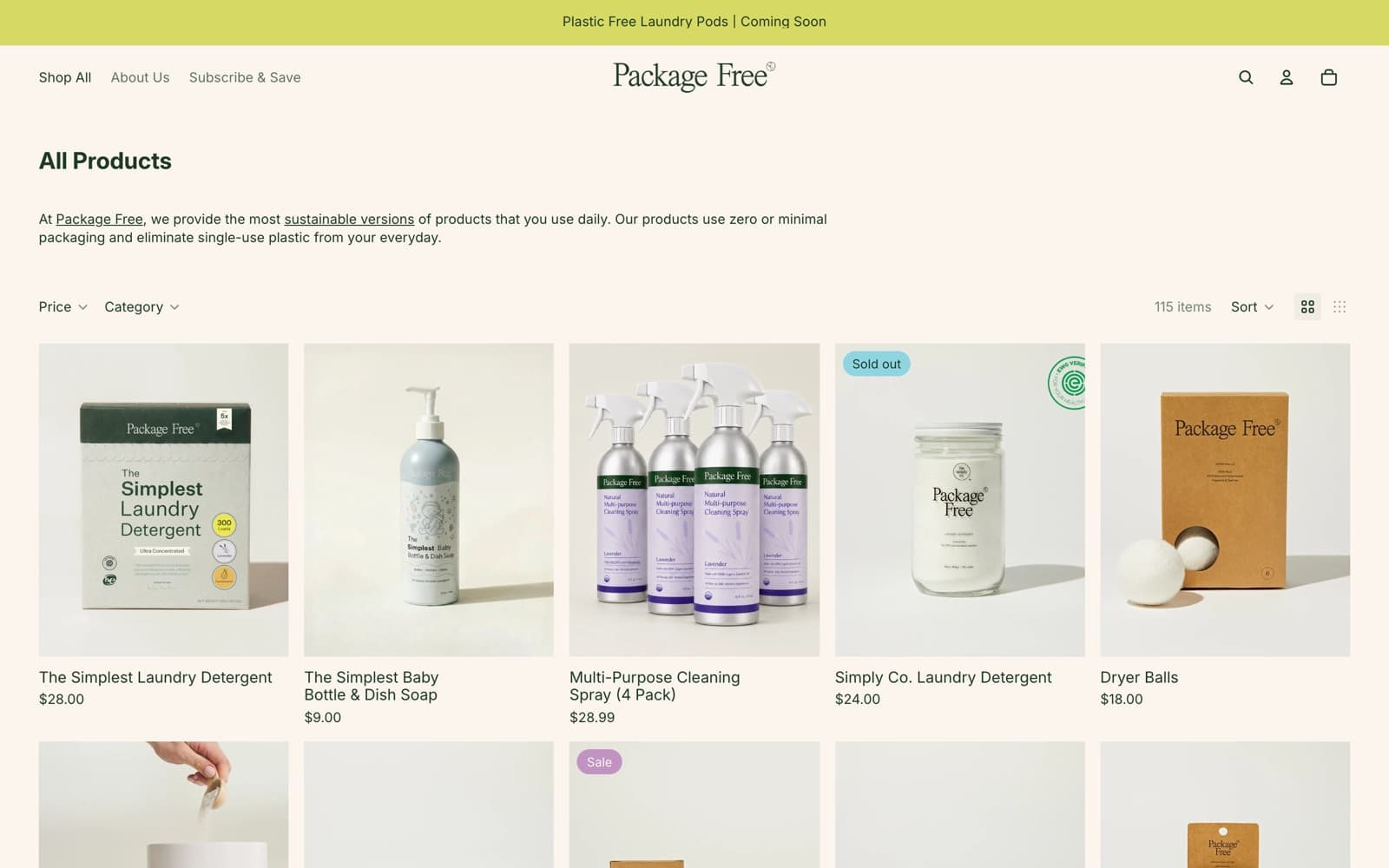
The home page and the pods page read as brand pages: a claim, a materials list, a video, then two full product blocks — variant pickers and all — set into a content template. Shop All reads as a shop, a filter bar above a grid the page counts as 115 items, and both are assembled from the same theme-block library, so neither layout bends to suit the other.
A nav that measures itself
The top-level menu is an overflow list built on declarative shadow DOM, with a minimum item count and a More button that only appears once items stop fitting. It waits for its own shadow stylesheet to resolve before it measures anything, then watches resize, mutation and intersection, because widths read too early are the wrong widths.
Facets that stay on the page
Category is Shopify product type rather than tags or metafields, running from Bath Accessories through Oral Hygiene to Totes, with price as a separate numeric range; both sit in floating panels above the grid rather than in a side rail. Hovering a checkbox warms the result it would produce, and long lists collapse behind a show-more control that is switched off on desktop.
Quick add that branches on variants
Every card carries the same bag icon, and what it does depends on the product. A single-variant card posts straight to /cart/add.js and re-reads the cart; a multi-variant card fetches the product page, lifts its buy block into a dialog and lets the shopper choose before anything is added.
One product template, mixed goods
The same template carries a two-scent detergent box with a per-scent ingredient list and dosing instructions, and third-party goods with longer option sets. Media and details are both sticky columns of unequal height, so the shorter one holds while the taller one keeps scrolling, and the instalment line sits under the price.
Subscribe and save, stated in full
Subscriptions run through a separate portal with their own free-shipping floor — the site's copy puts it at $59 against a standard $69 — and their own rules about combining loyalty points. The programme page sets out frequency, skipping, pausing, address changes and payment method before someone commits, not after.
Technical detail
Filtering through the Section Rendering API
Every facet, sort and grid-density change writes to the query string (filter.p.product_type, sort_by, grid), pushes it into history and refetches a single section by id rather than reloading the document — with the parameters sorted, so the cache key does not depend on the order things were clicked. The response is morphed into the live DOM, with empty text nodes, already-attached shadow-root templates and the section-API marker comment all rejected during the diff, while elements marked data-skip-node-update keep their attributes through it. The swap runs inside startViewTransition under a named product-grid transition, except when the facets are open in the mobile dialog, and the chosen grid density is written to sessionStorage per breakpoint and re-applied by an inline script on the next page so it does not flash.
Re-fetching the header out of the page cache
Storefront HTML is served from Shopify's full-page cache, so the header that arrives with a document can be carrying a cart count that is not yours. On document ready the theme refetches the header section by id with caching turned off and morphs it in hydration mode: only the subtrees marked data-hydration-key — the drawer, the menu, the cart drawer — are paired by key and replaced, so a personalised header lands without disturbing the rest of the page. The work is scheduled inside requestIdleCallback, and the page parameter is stripped from the URL first so page two of a collection hydrates the same header as page one.
No bundler, an import map instead
Theme JavaScript ships as ES modules addressed by bare specifiers — @theme/morph, @theme/component, @theme/paginated-list — resolved through an import map in the head, with a short modulepreload list for the critical set and declarative on: attributes binding events in the markup. Quick add keeps fetched dialog markup in a Map keyed by product URL, clears that Map on every cart update, and aborts the previous request through an AbortController; the paginated list prefetches the next and previous pages during idle time and pushes each page URL into history as it appends. The trade-off is a floor on browser support in return for cache keys that survive an edit to any single module.
Structured data for a variant group
Product pages emit a ProductGroup with hasVariant, per-variant GTINs and offers rather than one flat Product, so a two-scent box resolves as a single item with two buyable children instead of two competing listings. The store also publishes agents.md and a UCP profile at /.well-known/ucp pointing at an MCP endpoint, which means the same catalogue and the same variant model have to read correctly to a machine buyer as well as to a browser.
The stack
Platform
Storefront runtime
Merchandising and retention
Measurement and partners
- Sector
- Zero-waste home care
- Audience
- US households, retail buyers
- Shape
- Brand pages over a catalogue
- Platform
- Shopify, Pitch theme


Something like this to build?
Tell us what runs today and where it hurts. An engineer reads it and replies.