BLACKTAILOR
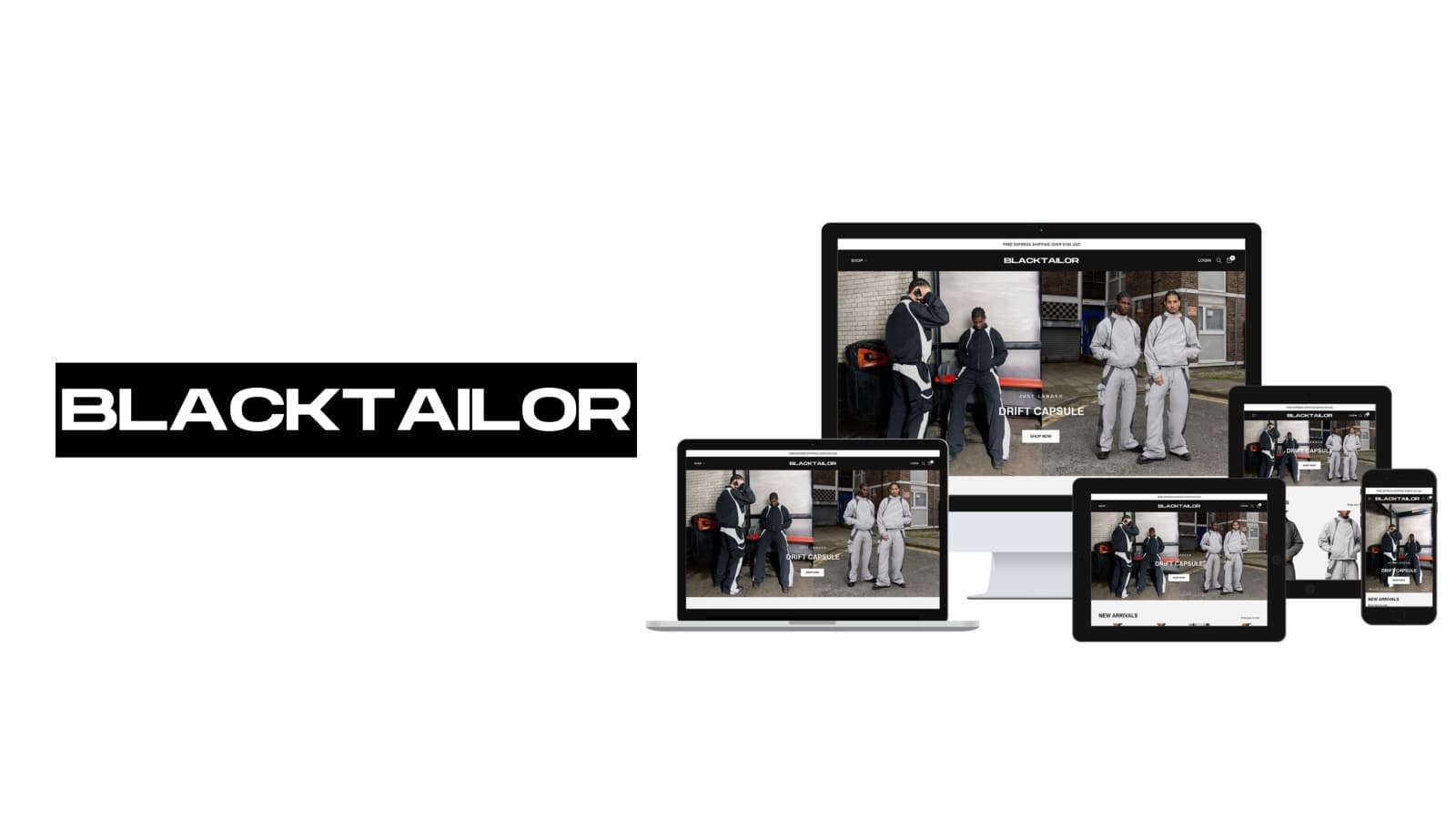
BLACKTAILOR is a cargo and denim label selling direct worldwide, with a catalogue organised as much by cut as by garment type.
What they came with
A cargo trouser is chosen on cut before it is chosen on colour, so the catalogue has to answer two questions at once: what shape is this leg, and what does it come in. Each style also ships as several separate colourways, each with its own photography, its own numbered size run and its own rate of selling through, so the same Z10 exists more than once in the admin and has to read as one garment on the page. Sizes go at different speeds, and a size that has gone still has to sell to someone prepared to wait. All of it runs from one storefront across the thirty-five country and currency options in the footer switcher.
What the build had to do
Fit as the primary axis
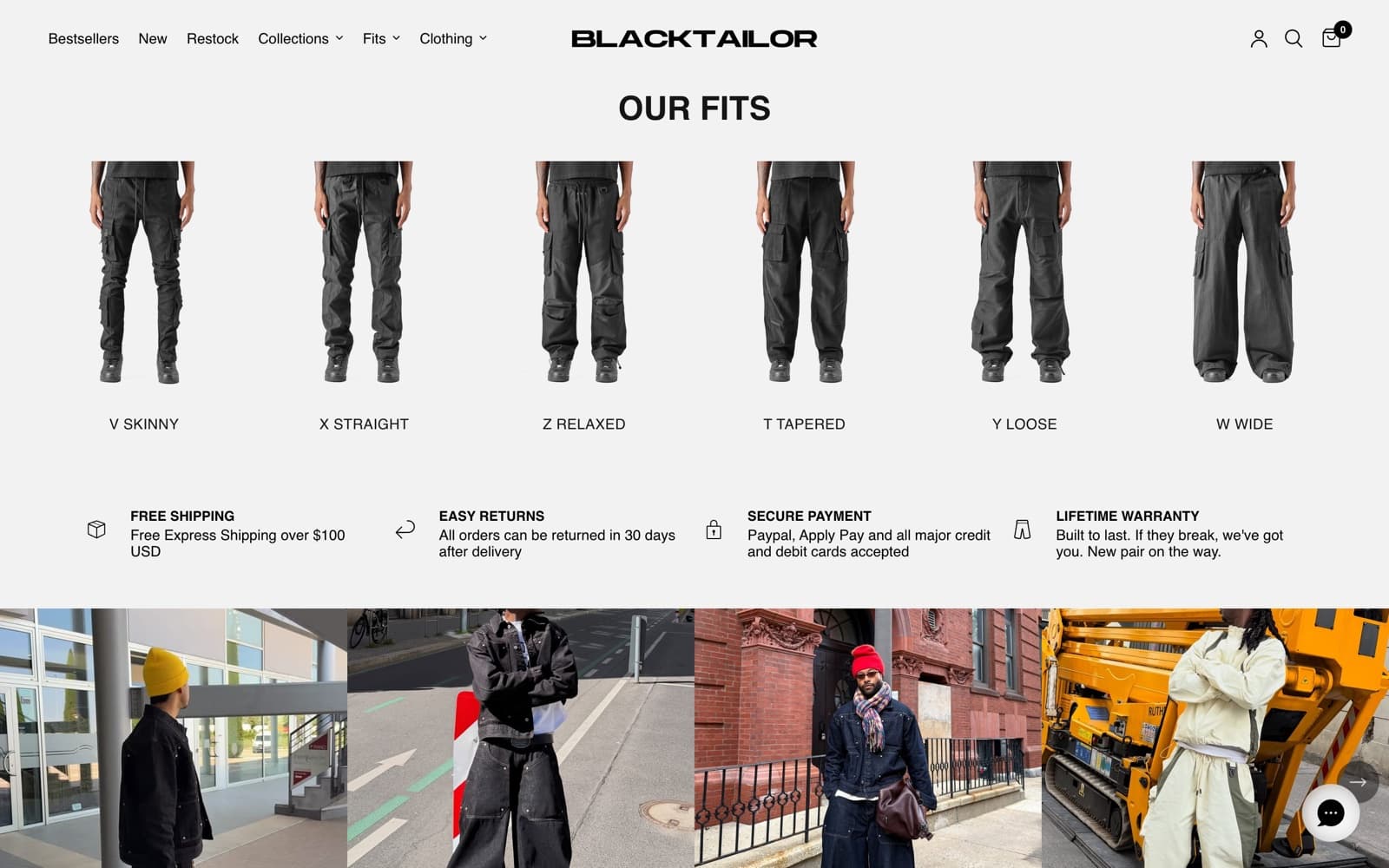
Six named fits run from V Skinny to W Wide, and they appear in the top navigation, in the collection filters and as a row of six cut-out silhouettes on the home page. Carrying fit as a structured product field rather than a tag is what lets one value drive a menu item, a facet and a landing collection at the same time.
One product per colourway
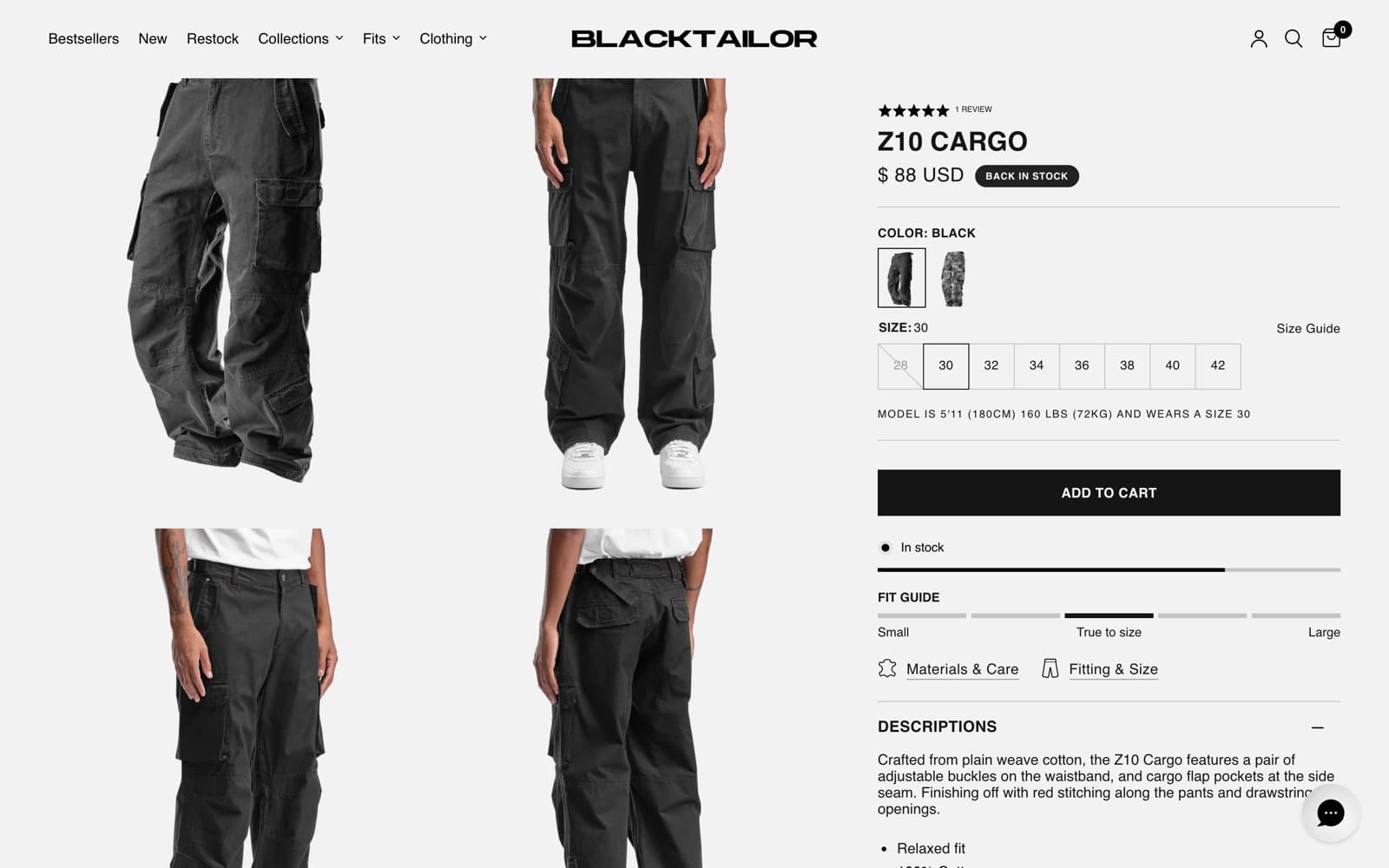
Every colourway is its own Shopify product with its own images, size run and stock, so Z10 Cargo Black and Z10 Cargo Grey Camo are separate records; across 103 products there are 41 style codes, 18 of which carry siblings. The page then has to make those siblings read as one garment, which means assembling a swatch group across products and rendering it in both the grid card and the buy box.
Size availability before the click
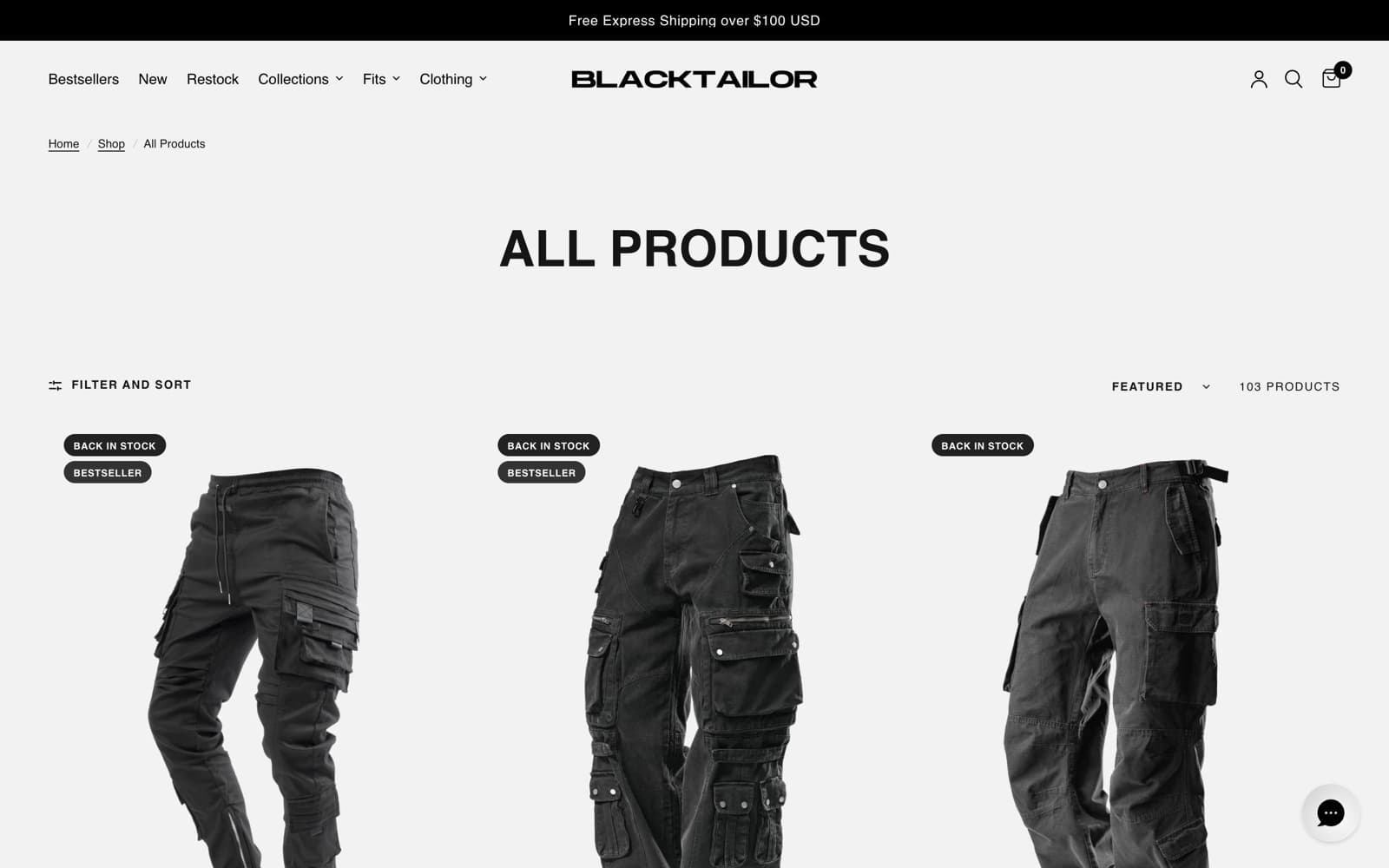
Hovering a grid card swaps to the on-model image and reveals the size run with what is still available, showing five sizes and an overflow count for the rest. Each size is also a target, so the card has to hold every variant id and its stock state before anyone has clicked anything.
Three doors into one catalogue
Collections, Fits and Clothing are three parallel mega menus over the same products: design line (CORE, DRIFT, EXPERIMENTAL), cut, and garment type. A single pair of trousers sits in all three at once, so each menu had to stay coherent on its own terms rather than being a slice of the others.
Sold out stays a route
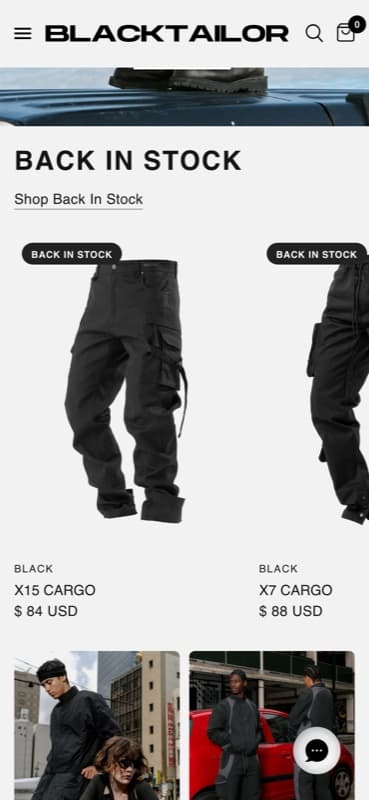
A size that has gone keeps its place in the run, struck through, and selecting it swaps the buy box to a sold out state with an email-me-when-available control in its place. Fully sold styles stay in their collections, and Restock sits in the top navigation as a collection of its own alongside Bestsellers and New.
Fit evidence in one column
The right rail carries the model's height, weight and worn size, a five-step fit guide marked between Small and Large, and a size guide that opens a height-and-weight-to-size table rather than a garment spec. Each of those comes from a different source — theme, product data and a sizing app — and had to settle into one block that reads in order.
Technical detail
Four fields carrying four axes
Product type holds the garment across twelve values, the vendor field holds the colourway name so it prints above the product title and gets its own automatic /collections/vendors route, and two metafields under my_fields hold fit and colour family. Colour is deliberately not a variant option: Size is the only option on all 103 products. The trade is inventory, imagery and merchandising state per colourway, which is what a drop cadence wants, against having to regroup siblings at render time to show a single swatch set.
Faceting on metafields, rendered server side
Filters post as filter.p.product_type, filter.p.m.my_fields.cargos and filter.p.m.my_fields.product_color through a facet-filters-form element, with the price bound taken from the collection's own maximum of $138. Counts come back from the collection query on every pass, and a value that would return nothing is marked disabled and left in place showing (0) rather than removed, so the drawer keeps a stable shape as you narrow. Fit is set on bottoms, so its six counts sum well short of the full catalogue, and the numbers next to each value say so.
Liquid first, widgets after
The theme is Liquid with native custom elements — product-card, cart-drawer, facet-filters-form, price-slider, variant-selects, predictive-search, recently-viewed-products — and no front-end framework. Each grid card inlines its own variant array as application/json, so price, size run and stock state are in the server-rendered HTML and resolve without a round trip. Reviews, the size chart, the colour swatch group and the restock form each arrive afterwards from their own origin, which keeps the buy box off the critical path of five separate third parties.
Markets resolved server side
Thirty-five country and currency options run through Shopify Markets, and the resolved market is passed into the restock configuration on the product page — marketId 829259875 and handle "us" for the United States, 14669348963 and "united-kingdom" for Britain — so a back-in-stock signup is scoped to the market the visitor is browsing rather than to the shop. The same resolved market drives the money format and the market-conditional duties line inside the shipping panel, which means that panel is rendered per market rather than held as one block of copy.
The stack
Platform
Front end
Fit and merchandising
Service and retention
- Sector
- Streetwear, cargo and denim
- Audience
- Direct buyers, thirty-five markets
- Shape
- Catalogue, fit browse, product page
- Platform
- Shopify, Reformation theme
Something like this to build?
Tell us what runs today and where it hurts. An engineer reads it and replies.